MalyjkAI

Your infinite creative workspace.

Canvas

An infinite canvas for working on a project. Arrange references, explore directions, and keep your assets together in a free-form workspace that follows the way you think.

Studio — your all-in-one workshop for creating, refining, and scaling content. Bring a first idea, explore it with AI, and turn it into a finished project.

Make connections visible

Group assets into scenes, mood boards, or timelines. See how individual pieces fit into the larger project.
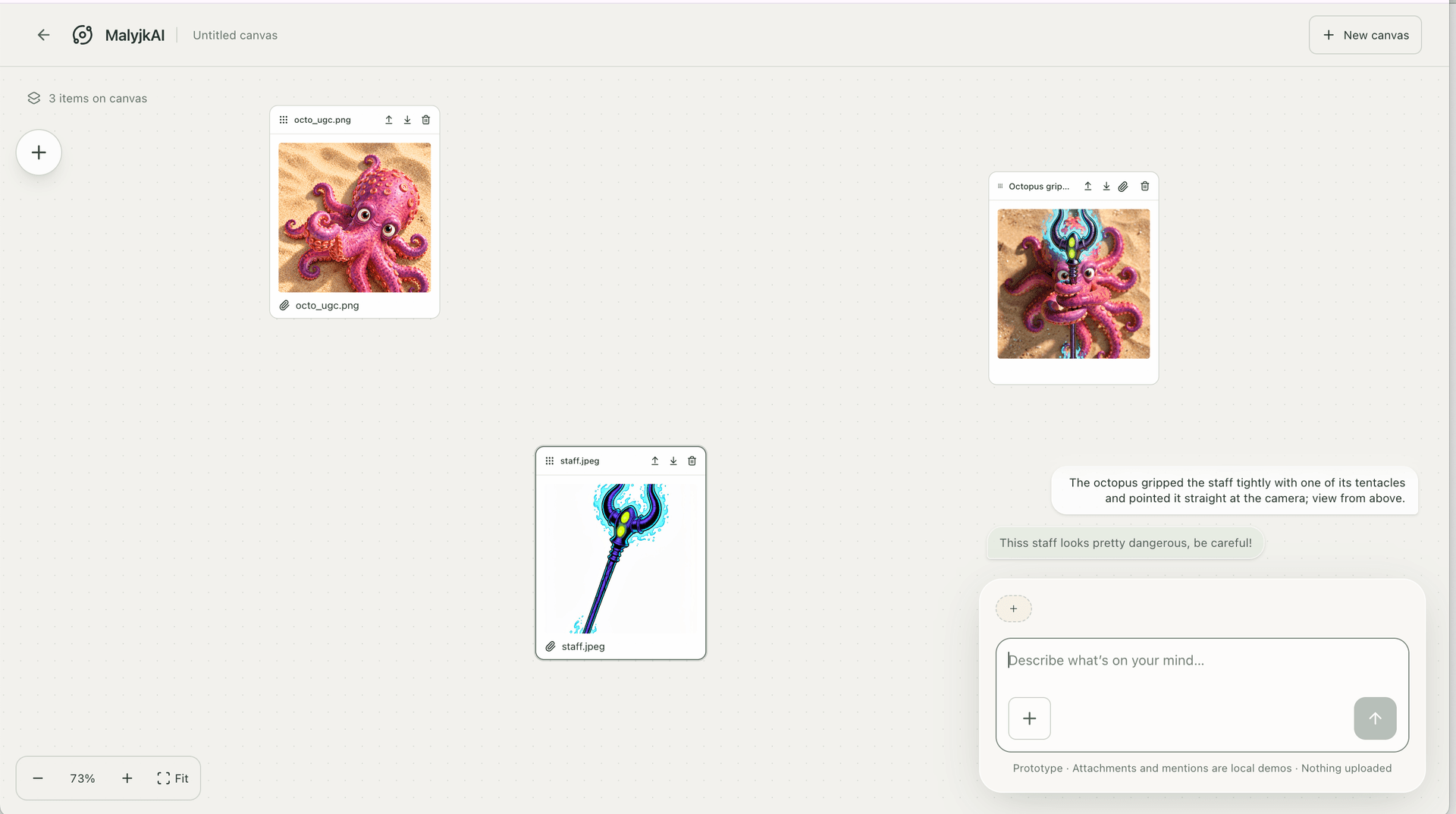
Canvas UI

The Pot

AI-assisted work, in your own words. The Pot is the brain behind your generation: choose the intelligence guiding your creative process, then work with Malyjkai in Chat to turn a broad idea into a practical next step.

Powered with frontier tools

OpenAI

Explore ideas, shape a brief, and work through your next creative step.

GPT-6 Luna
GPT Image 2.6 Flare

Use Cases

Explore ways to create with Studio. Pick a creative task, bring your brief, and work with a focused assistant to develop the assets your project needs.

Frequently asked questions

What types of media can I create in Studio?

Work with images (JPEG, PNG, WebP), video (MP4, WebM), animation (GIF), 3D assets (GLB), and interactive or markup content (HTML). The available output formats depend on the model and workflow you choose.

Do I need to know how to write complex prompts?

No. Describe your goal in plain language and use Chat to refine it into a useful prompt. Choose a tool suited to your task and start with your idea or brief.

Which tools can I use to produce content?

Explore ideas with Creative Generator, develop character-led content with AI Avatar, and shape campaign visuals with Advert Creator. Each tool or agent focuses on a different creative task.

Are the models listed here the only options?

The model library evolves over time. Check the Models tab in Studio for current availability and newly added capabilities.

Can I refine my own sketches and follow a specific visual style or brand guidelines?

Yes. Use your sketches, product references, and brand guidelines to guide your work. Custom collections help you develop visuals that follow your artistic direction or a client’s brand.

Are my uploaded artworks used for training?

No. Your uploaded artworks are not used to train AI models.

Can I keep characters and environments consistent across an asset collection?

Yes. Use custom collections to guide a consistent visual direction for characters, environments, and related assets.

Are generated 3D assets ready for production?

Yes, though some assets may need refinement. It depends on the generated result and the requirements of your project.

Ready to create?

Start with a Canvas, work through an idea in Chat, choose your model, and bring it to life with the right tool. Join the waitlist for access to Studio.